
Fair Crown Casino App Australia
The Fair Crown Casino app is built around a clear technical principle: you should never need a third-party store to reach your account. Our mobile experience is delivered as a Progressive Web App, which means your phone’s browser does the heavy lifting — and once it is set up, playing pokies or joining a live dealer table takes a single tap. This page explains how it all works, step by step.
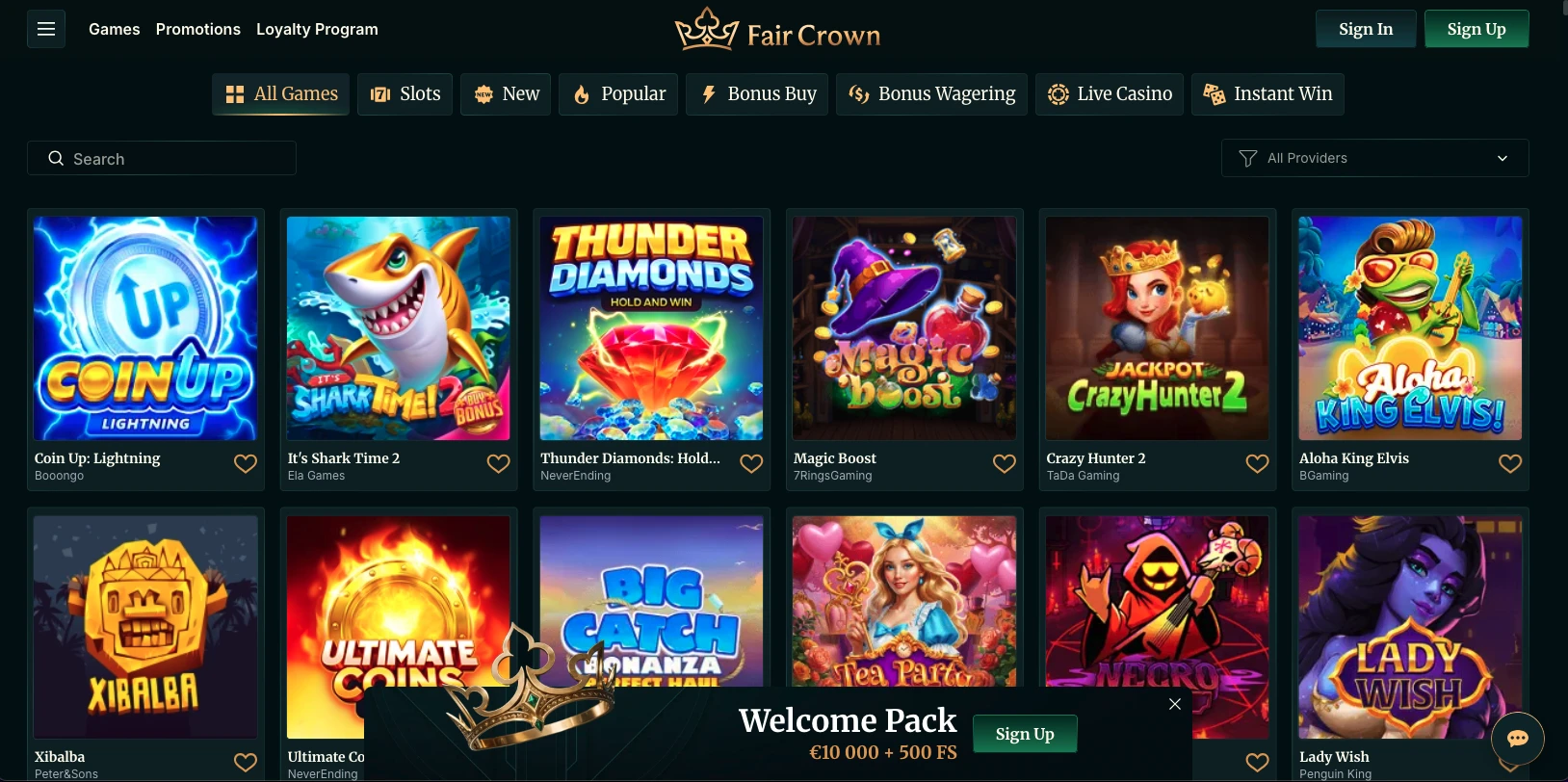
A Web App, Not a Store Download
The first thing to understand about mobile access on our platform is the delivery method. Many players search for a Fair Crown Casino app listing on Google Play or the App Store and come away empty-handed — that absence is deliberate, not an oversight. We have chosen the progressive web app model because it places nothing in a store’s review queue and requires no installation package of any kind.
Here is exactly how mobile access is structured:
- No native app on Google Play or the App Store — we do not publish there
- A Progressive Web App (PWA) instead — loaded from our official website in any modern browser
- Installed from the browser itself using the device’s standard “Add to Home Screen” prompt
- The same account as desktop — log in once and your balance, history and bonuses travel with you
It is worth noting that players who search for a Fair Crown Casino apk file online are looking in the wrong place; no APK file exists for this platform, and downloading one from an unofficial source would carry serious security risks. For the full picture of what our platform offers across devices, the details about Fair Crown explain the complete service from licensing through to game catalogue. That link is the authoritative source, and we recommend bookmarking it rather than relying on third-party descriptions.
Installing the Web App
Getting an app-style icon on your home screen without touching a store takes under a minute on any modern device. The route differs slightly between Android and iOS, but the end result is the same: a dedicated shortcut that launches our platform in full-screen mode, just like a native app.
| Device | Route |
|---|---|
| Android | Open the site in Chrome or another supported browser → tap the three-dot menu → select “Add to Home Screen” → confirm |
| iOS | Open the site in Safari → tap the Share icon → select “Add to Home Screen” → tap “Add” |
With the app icon sitting on your home screen, you bypass the browser address bar on every return visit. We also recommend checking that your browser is up to date before installing, as older versions occasionally mishandle the PWA prompt. The easy Fair Crown account guide walks through creating or logging into your account, which you will want ready before the first time you tap the icon. Setting up your Fair Crown mobile app shortcut and signing in should take no more than five minutes from a standing start.
What the Installed App Gives
Installation changes the practical experience in four measurable ways. Once you tap “Add to Home Screen,” your device delivers a noticeably different user experience compared with browsing through a regular tab.
- Dedicated home screen icon — the shortcut sits alongside your other apps and is indistinguishable from a native install at a glance
- Full-screen mode — the browser chrome disappears, giving you the full display for games
- Fast load times — the PWA caches core assets locally so the interface appears quickly even on slower connections
- No storage footprint — unlike a downloaded APK or native app, the PWA consumes negligible device storage
If you have questions about the installation process or want to check compatibility with a specific device, the answers in Fair Crown FAQ address the most common scenarios in plain language. The Fair Crown Casino app, delivered this way, also eliminates the update friction that often frustrates users of traditional native apps — our platform updates automatically, and you will always open the current version without manually downloading a patch.
Mobile Navigation
Our interface is built from the ground up for smaller screens, with touch interactions given the same care as the desktop layout. Every interactive element has been sized and spaced with a finger in mind, not a cursor.
| Element | Detail |
|---|---|
| Tap targets | Enlarged for comfortable touch — buttons and menu items meet minimum recommended touch target sizes |
| Menus | Collapsible with an integrated search function so any title in the library can be reached in two taps |
| Orientation | Both portrait and landscape are fully supported with automatic layout adjustment |
| Search | A dedicated search bar lets you go directly to a named pokie or table without scrolling |
The app interface also presents categories clearly — pokies, live dealer, bonus buy titles and the VIP Lounge are accessible from the main menu without drilling through sub-pages. That structural clarity is important on a small screen, where excessive nesting creates friction. Our Fair Crown platform handles that navigation the same way on a budget Android handset as it does on the latest iPhone, because the PWA layer draws consistently across browsers.
Playing and Banking on a Phone
Mobile access on our platform closely mirrors what you would expect from the desktop experience — not a trimmed-down version, but the same product rendered for a smaller canvas. Here is what is available from your phone:
- Most of the desktop library — pokies, crash games, bonus buy titles and new releases all carry over to mobile
- Evolution and Ezugi live tables — live dealer titles including Venice VIP Blackjack 3, VIP Auto Roulette and Live Roulette European VIP run on mobile without compromise
- Deposits and withdrawals — Visa, Mastercard, Maestro, Apple Pay, MiFinity and CoinsPaid all function from the mobile cashier; deposits start from $20 with no fee
- Bonus claims and settings — welcome package deposits, the 10% weekly cashback up to $5,000, and the Weekend Lucky Bonus using code LUCKY3 can all be activated through the mobile interface; account settings, responsible gambling limits and KYC steps are likewise accessible
The Fair Crown mobile app experience does not route you to a separate mobile-only cashier — the same deposit limits, the same withdrawal methods and the same fee schedule (0% across the board) apply regardless of the device you are using. That consistency matters when you are mid-session and need to top up or request a withdrawal without switching to a desktop.
Session Safety on a Personal Device
Our platform applies the same 128-bit SSL and PGP encryption stack to every mobile session as it does to the main desktop site, so the data travelling between your phone and our servers is protected to the same technical standard at all times. Signing out after each session is a straightforward habit worth building on a personal device, particularly if that device is shared with other household members. Because our bonus policy limits each offer to one per person, household, email address, IP and device, session discipline also helps keep your account record clean.
Beyond encryption, the Fair Crown Casino apk search pattern is worth addressing directly here: any file circulating under that label is not produced by us, and running unknown APK files on your device is a genuine security exposure. Stick to the browser-based PWA for every session. Our platform also carries a full suite of responsible gambling controls — deposit limits, loss limits, wager limits, cooling-off periods ranging from one week to six months, and self-exclusion options stretching to indefinite — all reachable from the account settings menu on mobile.
Who Should Install the Web App
The PWA suits any player who values a consistent, low-friction route to their account. If you spend meaningful time on pokies or live dealer titles during commutes, lunch breaks, or away from your desktop, having the icon on your home screen removes a small but real amount of effort from every session. Players who are particular about device storage will appreciate that nothing is actually installed in the traditional sense. Those who travel frequently and switch between networks will benefit from the cached interface loading quickly even when signal is unreliable. Our platform is licensed under Tobique Gaming Commission licence No. 0000002 and operated by Novatrix SRL, so the same regulatory and security standards apply whether you connect from a home Wi-Fi network or a mobile data connection abroad. The Fair Crown app, in short, is the right tool for anyone who wants full casino functionality without the constraints of a traditional app download.
Frequently Asked Questions
Is there a Fair Crown app on Google Play?
No — we do not publish a native Fair Crown Casino app on Google Play or the Apple App Store. Our mobile solution is a Progressive Web App installed directly from the browser, which means no store approval process and no forced update downloads. The PWA delivers the same functionality as a native app through your device’s browser engine.
How do I install the web app?
On Android, open our site in Chrome, tap the three-dot menu and select “Add to Home Screen.” On iOS, open the site in Safari, tap the Share icon and choose “Add to Home Screen.” The Fair Crown shortcut will then appear on your device’s home screen and launch in full-screen mode. The whole process takes under a minute.
Does it use storage space?
The PWA caches a small amount of interface data to improve load times, but it does not occupy the significant storage footprint that a downloaded native app would consume. You will not find it listed under your device’s app storage manager the way a conventional install would appear. If storage is a concern, this approach is the more efficient one.
Do live tables work on mobile?
Yes — live dealer titles from Evolution and Ezugi, including VIP blackjack and roulette variants, are fully available through the mobile browser. The video streams are optimised for mobile bandwidth, and both portrait and landscape orientations are supported. You will find those titles under the Live Casino and VIP Lounge categories in the mobile menu.
Is mobile encryption the same?
Every mobile session on our platform runs through the same 128-bit SSL and PGP encryption stack as the desktop site. Fair Crown applies that protection consistently across connection types, whether you are on home Wi-Fi or mobile data. There is no difference in the security layer based on the device you choose to play from.